JFont
JFont is a Windows Forms utility for printing font cards — one-page documents that showcase a font in a range of sizes and list its complete ASCII character reference. Useful for quickly evaluating how a font looks on paper before committing it to a document or design.
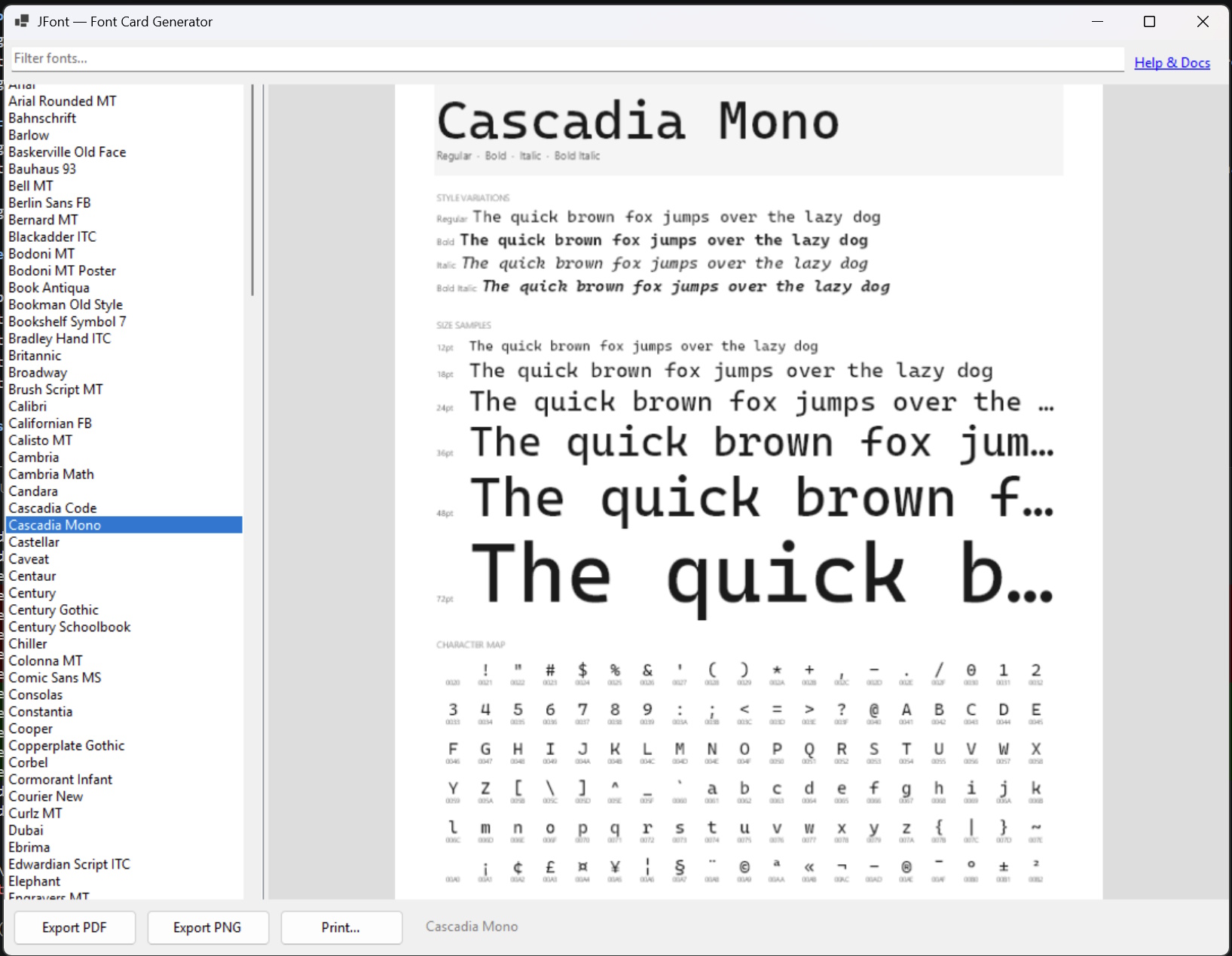
Sample card — Generate your own with jFont.
Features
- Font card printing — generates a single-page document displaying the selected font at multiple point sizes.
- ASCII character reference — each card includes a table of the font's ASCII character codes so you can see every printable character at a glance.
- Any installed font — works with all fonts installed on your Windows system.
- Print or preview — send directly to a printer or preview the card on screen before printing.
Requirements
- Windows 10 or 11
- .NET Framework or .NET (Windows desktop runtime, as required by the build)
- A printer or print-to-PDF driver for saving cards as PDF
Getting Started
- Download or clone the repository and build the solution in Visual Studio.
- Run
JFont.exeto launch the application. - Select a font from the list of fonts installed on your system.
- Click Print or Preview to generate the font card.
Have an idea to improve this page? Let me know